Organic traffic drop recovery: AI Overviews vs updates vs technical issues
Your traffic didn’t “dip.” It fell off a cliff.
One day you’re cruising. The next day your dashboard looks like a ski slope and Slack is full of: “Did Google nuke us?”
Sometimes it’s a real ranking drop. Sometimes it’s a tracking glitch. And Sometimes it’s AI Overviews answering the question before anyone needs to click. Also, sometimes it’s your own content fighting itself like two toddlers in the same Halloween costume.
This framework is built for the moment you need answers fast – and you need them in a way your stakeholders can understand.
What you’ll walk away with
|
The new reality: traffic drops have more causes than ever
In 2018, the usual suspects were pretty boring: core update, technical issue, or a competitor got better.
In 2026, the suspects list got longer. And weirder.
- AI Overviews and other SERP features can reduce clicks even if rankings look stable. (You can still be “visible” while getting fewer visits.)
- Google’s own guidance acknowledges there are multiple shapes and causes of traffic drops, including reporting glitches, seasonality, technical issues, and algorithm updates.
- Indexing/crawl volatility is easier to trigger (and easier to miss) when modern sites are heavy on JavaScript, redirects, and dynamic routing.
- Content cannibalization is more common as teams publish more “supporting” articles and programmatic pages.
So if you start with the wrong assumption – like “we were penalized” – you’ll waste time.
Start with evidence. Then act.
The mindset: recover qualified demand, not just sessions
Here’s a trap: you can recover traffic and still lose revenue.
If the drop hit top-of-funnel informational queries (and AI Overviews ate those clicks), your best “recovery” might be shifting what you measure and what you create.
Practical KPI shift (when AI features are the culprit)
|
The 7-step traffic drop recovery framework
This is the order. Don’t freestyle it.
- Step 1: Confirm the drop (date range, segmentation, and data sanity checks)
- Step 2: Segment impact (brand vs non-brand, query classes, page types)
- Step 3: SERP changes (AI Overviews, feature shifts, competitor displacement)
- Step 4: Algorithm signals (core updates, helpful content, link trends)
- Step 5: Technical triage (indexing, crawl, rendering, logs, sitemap, robots)
- Step 6: Content triage (cannibalization, intent mismatch, thin/duplicative sections)
- Step 7: Authority triage (lost links/mentions, E-E-A-T gaps)
Step 1: Confirm the drop (data sanity first)
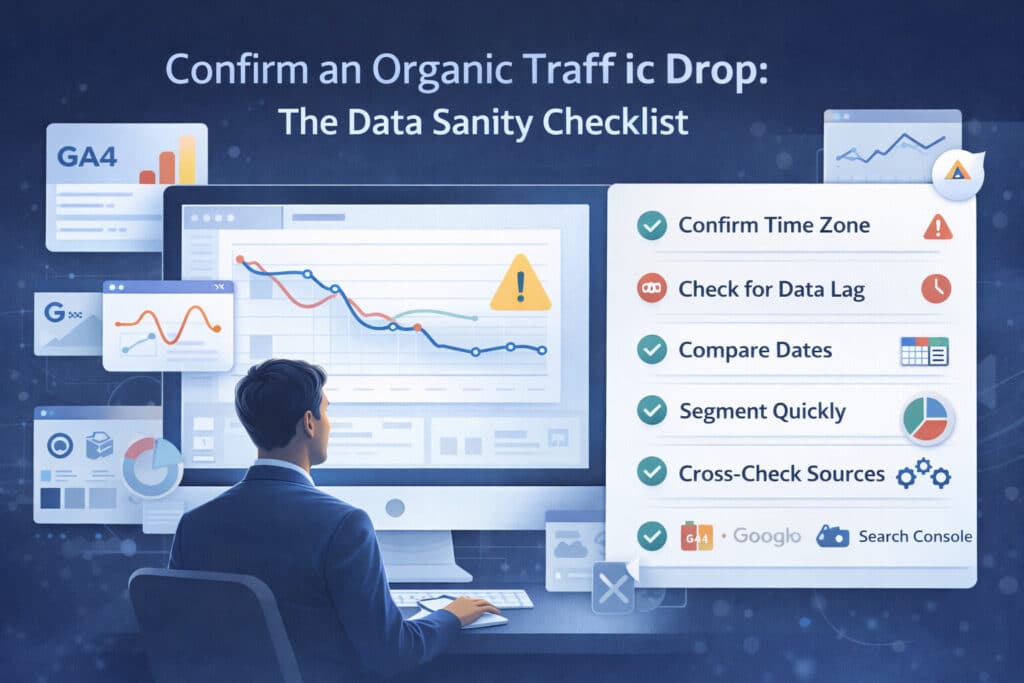
Before you diagnose Google, diagnose your measurement.
- Confirm the time window (exact start date and whether it’s gradual or sudden).
- Check Search Console clicks and impressions vs GA4 organic sessions. If only GA4 dropped, you might have a tagging/consent/reporting issue.
- Segment by device, country, and search type (Web vs Image vs Video). Google recommends analyzing different search types separately when investigating drops.
- Look for obvious “oops” events: site migration, robots.txt change, redirect rules, CMS release, new templates.
Output: a one-sentence definition of the problem. Example: “Non-brand Web Search clicks dropped 38% in US mobile starting Jan 22, while impressions stayed flat.”
Step 2: Segment impact (find the blast radius)
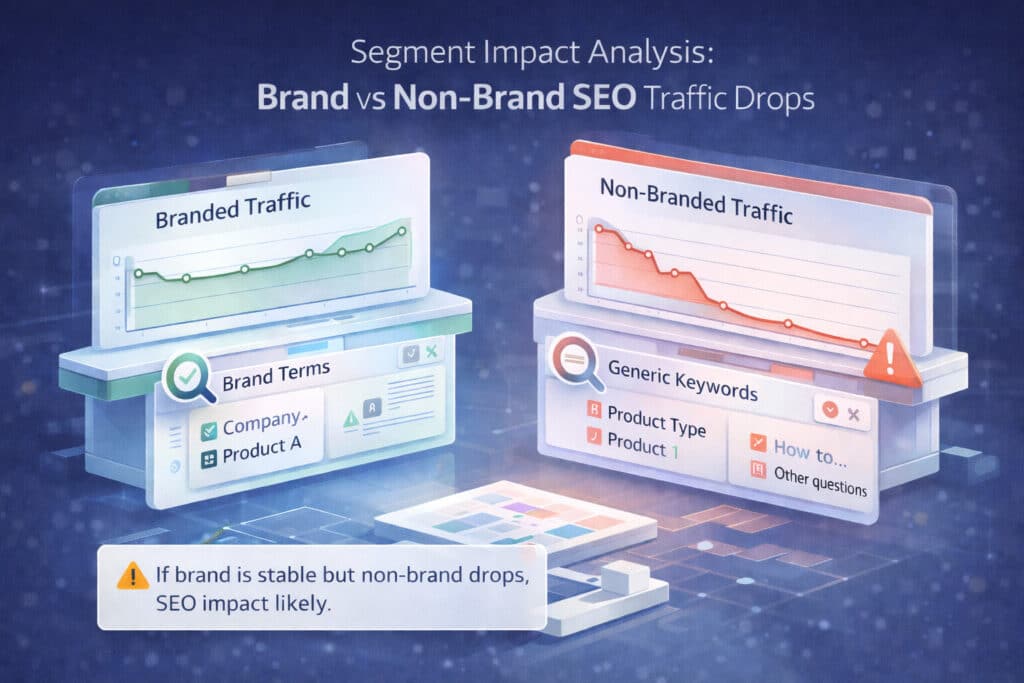
Most teams panic because they only look at the total.
Totals hide patterns. Patterns tell you what to fix.
- Brand vs non-brand: if brand is down, you may have broader demand/PR issues or a tracking issue.
- Query classes: informational vs commercial vs navigational. (AI Overviews tends to hit informational harder.)
- Page types: blog vs product vs category vs docs vs landing pages.
- Top winners/losers: identify which pages lost the most clicks and which queries moved.
Fast segmentation heuristic
|
Step 3: SERP changes (AI Overviews and feature shifts)

This is the part that makes people angry because it’s not “your fault.”
If AI Overviews shows up, users can get what they need without clicking. Research from Pew Research Center found users were less likely to click links when an AI summary appears.
So don’t just look at rankings. Look at the actual results page.
- Spot-check the top lost queries in an incognito window (and a clean device if possible). Record what changed: AI Overview, featured snippet, PAA, video carousel, local pack.
- Check whether competitors displaced you with a different content format (forums, UGC, product pages, “best of” lists).
- If your average position didn’t change but clicks dropped, treat it like a CTR problem, not a ranking problem.
Step 4: Algorithm signals (updates, manual actions, link trends)
Sometimes it is Google. Specifically: a core update, spam update, or a manual action.
Google’s own core update documentation recommends comparing date ranges around the update (and waiting at least a week after the update completes before analyzing).
- Check timing vs known updates (core updates are the big ones; spam updates can also bite).
- Check Search Console > Manual actions and Security issues. These can suppress visibility without a dramatic “rankings everywhere changed” story.
- Review link trends: lost backlinks, lost brand mentions, and anchor text shifts. Use Search Console’s Links report as a starting point.
Output: a simple “likely cause” scorecard (Update / SERP / Technical / Content / Authority), and a ranked list of next actions.
Step 5: Technical triage (indexing, crawl, rendering)
If Step 1-4 didn’t explain the drop, it’s time to get technical.
This is where you stop guessing and start checking receipts: Page indexing report, Crawl Stats, server logs, and render tests.
- Indexing: use the Page indexing report to see excluded URLs, sudden spikes in “Crawled – currently not indexed”, and canonical conflicts.
- Crawl: use the Crawl Stats report to spot crawling slowdowns, 5xx spikes, or availability issues.
- Robots/sitemaps: validate robots.txt rules and sitemap submissions; Google notes that submitting a sitemap is a hint, not a guarantee.
- Rendering: if you’re JS-heavy, confirm Google can actually render the content (Google provides specific JavaScript SEO guidance).
- Redirects/canonicals: confirm key pages return 200, aren’t stuck in chains, and have consistent canonical signals.
Step 6: Content triage (cannibalization, intent mismatch, thin sections)
If you have multiple pages targeting the same intent, Google has to choose. Sometimes it chooses… poorly.
Keyword cannibalization is when multiple pages compete for the same or similar keywords and search intent, weakening clarity and performance.
- Cannibalization audit: for priority topics, map query → landing page over time. If the landing page flips, you have an overlap problem.
- Intent mismatch: if the SERP shifted toward a different format (e.g., “best X” lists), your old “definition page” may be the wrong fit.
- Thin/duplicative blocks: remove fluff, consolidate duplicate sections, and add the missing info people actually need.
- Update the internal link map so the “primary” page is obviously the primary page.
Step 7: Authority triage (lost links/mentions, E-E-A-T gaps)
Authority drops feel unfair because they’re slow. But they’re real.
If you lost a few meaningful links or mentions, your rankings can drift. If competitors gained credible citations, they can pass you.
- Audit lost links/mentions to impacted pages (start with Search Console links data, then use your link tools).
- Patch E-E-A-T gaps: clear author bios, editorial standards, citations, and “who is behind this” trust signals.
- Upgrade your ‘entity clarity’: consistent naming, consistent facts, and consistent descriptions across your site and third-party profiles.
A 2-week recovery sprint plan (copy/paste this)
| Day | Primary goal | Key outputs |
| Day 1 | Confirm the drop + data sanity | Defined drop window; segmented baseline; tracking sanity notes |
| Day 2 | Segment impact | Brand vs non-brand split; top losing pages/queries; impact matrix |
| Day 3 | SERP inspection | SERP change log; AI Overviews presence; competitor displacement notes |
| Day 4 | Algorithm checks | Update correlation; manual action/security status; initial hypothesis |
| Day 5 | Technical triage | Indexing/crawl/render checklist; prioritized technical fixes |
| Day 6-7 | Content triage | Cannibalization map; page-level rewrite/consolidation plan |
| Week 2 | Implement + monitor | Fixes shipped; annotations; early indicators (impressions/CTR/conversions) |
Rule: don’t change 50 things at once. Fix in batches, annotate, and watch leading indicators (impressions, position, CTR, conversions).
Stakeholder-friendly reporting template (the version that stops panic)
- 1) What happened? (exact date, segments impacted, magnitude)
- 2) Why it happened? (top 1-3 contributing causes with evidence)
- 3) What we’re doing now (prioritized fixes, owners, timeline)
- 4) What success looks like (metrics + checkpoints)
- 5) What we’re not doing (and why)
Pro tip
|
When to run a GEO baseline (and stop worshipping sessions)?
If SERP analysis shows AI Overviews (or other features) are eating clicks, you need a baseline for visibility and citations.
- Pick 20-50 priority topics and record: impressions, average position, and presence of AI features.
- Record which sources/citations appear in AI Overviews for those topics (even if you aren’t one of them yet).
- Track brand demand: branded queries, direct traffic, email growth.
- Treat AI visibility as a parallel channel: citations, mentions, and being the ‘trusted source’ in the summary layer.
FAQ
Rankings look stable but traffic dropped – how?
CTR and SERP features. Investigate AI Overviews and layout changes.
“How fast can we recover?”
If it’s technical, often fast. If it’s content/authority, think weeks to months.
“Should we delete content?”
Only after you map cannibalization and confirm what each page is supposed to do.
“What if this is just seasonality?”
Compare year-over-year and validate with Trends (and your own business cycles).
References
- Google Search Central. “Debugging drops in Google Search traffic.”
- Google Search Central. “Google Search’s Core Updates.”
- Google Search Central. “AI features and your website.”
- Google Search. “AI Overviews.”
- Google Search Console Help. “Page indexing report.”
- Google Search Console Help. “Crawl Stats report.”
- Google Search Central. “Robots.txt introduction and guide.”
- Google Search Central. “Build and submit a sitemap.”
- Google Search Central. “Canonicalization.”
- Google Search Central. “Consolidate duplicate URLs.”
- Google Search Central. “Troubleshoot crawling errors.”
- Google Search Console Help. “Manual actions report.”
- Google Search Console Help. “Security issues report.”
- Google Search Console Help. “Links report.”
- Google Search Central. “JavaScript SEO basics.”
- Google Search Central. “Fix Search-related JavaScript problems.”
- Pew Research Center. “Google users are less likely to click on links when an AI summary appears.”
- Ahrefs. “AI Overviews reduce clicks by 34.5%.”
- Search Engine Land. “Keyword cannibalization guide.”
- Yoast. “Keyword and content cannibalization.”
About The Author