Updated: January 13, 2026
What is AI‑Readable SEO? If you’ve ever asked an AI system about your own business and thought, “Wait… why is it describing my competitor?” Congratulations. You’ve already met the problem.
AI doesn’t “read” your website the way a person does.
It crawls.
It parses.
It tries to reconcile a bunch of signals that often contradict each other.
And when those signals conflict, the AI does what any machine does under uncertainty:
It guesses.
This post is about removing guesswork.
Because here’s the core narrative:
If your site isn’t machine‑readable, AI can’t trust it.
Not because it’s mean. Because it’s blind.
And for technical owners (product, SEO, embedded marketing), this is good news: trust is mostly an engineering problem, or at least an engineering‑shaped problem.
The big idea: AI visibility is a stack of signals, not a “content trick”
There’s a persistent myth that “GEO” (Generative Engine Optimization) is some new bag of hacks.
It isn’t.
GEO is just technical SEO + structured data + entity clarity + validation discipline.
Machines don’t reward vibes. They reward readable structure.
Google is explicit that structured data helps it understand a page and also gather information about the web and the world (people, books, companies, etc.).
And when AI answers are being generated from crawled, indexed, and interpreted web sources… the sites with clear signals tend to be the ones that get used, summarized, and cited.
So the question isn’t:
“Can I optimize for AI?”
The question is:
“Is my brand legible to machines?”
The AI‑Readable SEO Signal Stack (5 layers)
Think of this like a “stack” because each layer depends on the ones below it:
- Crawlable (can bots fetch it?)
- Indexable (can search engines keep it?)
- Canonical + consistent (is there one “true” version?)
- Structured + entity‑clear (does it know who/what/where you are?)
- Fast + mobile‑correct (does it render well in the real world?)
If you’re missing layer 1, schema won’t save you.
If you’re missing layer 3, your schema can be “right”… on the wrong URL.
If you’re missing layer 4, AI may still talk about you… but attribute the work to someone else.
Let’s build the stack.
Module 1: Signal Map – what AI systems actually use
Different AI engines have different pipelines, but the web-facing ones all converge on a shared set of machine-readable inputs:
1) Crawl signals (can a machine fetch the content?)
- HTTP status: 200 vs 3xx vs 4xx/5xx
- robots.txt access
- meta robots / X‑Robots‑Tag directives
- sitemaps and internal linking pathways
If a URL is blocked from crawling, an engine can’t “see” what’s on it.
And here’s a subtle but brutal gotcha:
If you disallow crawling in robots.txt, Google may never discover your noindex (or other indexing rules) because those directives are discovered when a URL is crawled.
That’s how you end up with “we blocked it so it shouldn’t show” surprises.
2) Index signals (can it be stored and retrieved?)
- Indexability (noindex, canonical, etc.)
- Duplicate handling
- Canonical selection
- Sitemap inclusion (suggested canonicals)
Google supports several canonicalization methods and explicitly warns against giving conflicting canonical signals (like one canonical in your sitemap and a different one via rel=canonical).
3) Interpretation signals (can it understand what the page is about?)
This is where structured data shows up:
- Schema.org markup (JSON‑LD recommended for rich results eligibility)
- Headings and page structure
- Clear visible content that matches the markup (don’t mark up invisible stuff)
4) Entity + attribution signals (can it connect your brand to the right entity?)
This is the part most teams skip and it’s exactly why AI answers drift.
You want machines to confidently answer:
- Who are you?
- What do you do?
- Where do you do it?
- Which URLs represent the “official” truth?
Organization structured data helps Google disambiguate your organization and can influence visual elements like which logo is shown and your knowledge panel.
LocalBusiness structured data helps Google understand business details and can feed knowledge panels and local carousels.
5) Experience + rendering signals (can it render and trust the page experience?)
Google uses mobile-first indexing, meaning it uses the mobile version of your content (crawled with a smartphone agent) for indexing and ranking.
And Google recommends hitting “good” Core Web Vitals thresholds (LCP < 2.5s, INP < 200ms, CLS < 0.1).
The “AI Trust” principle
Machines “trust” what they can:
- fetch reliably
- index consistently
- interpret unambiguously
- attribute to a stable entity
That’s the whole game.
Now let’s get practical.
Module 2: Schema Playbook (Organization / LocalBusiness / Service / FAQ)
Schema is not a magic “rank me” button.
Schema is a labeling system: it reduces ambiguity so machines don’t have to guess.
Google literally says it uses structured data it finds to understand page content and gather information about entities.
If your ICP is “reduce technical risk,” schema is risk reduction:
- less ambiguity
- fewer misattributions
- more consistent “who/what/where” signals
Before you write any schema: do this 3‑step setup
Step 1: Create stable entity IDs
Use an @id for your Organization and reuse it everywhere.
Example pattern:
- Organization entity ID: https://example.com/#org
- Location entity ID: https://example.com/locations/nyc/#localbusiness
- Service entity ID: https://example.com/services/technical-seo/#service
This creates a machine-friendly “graph” instead of loose blobs of JSON.
Step 2: Keep schema tied to visible page content
Google’s guidelines emphasize: don’t mark up content that isn’t visible and make sure structured data represents the page.
Step 3: Don’t block schema pages
Google’s structured data guidelines explicitly say: don’t block structured data pages using robots.txt, noindex, or other access control methods.
Schema 1: Organization (your “Who we are” anchor)
Google says Organization structured data on your home page can help it understand administrative details and disambiguate your organization, and can influence search visual elements like logo and the knowledge panel.
It also defines sameAs as links to profiles on other sites and notes you can provide multiple sameAs URLs.
Recommended Organization JSON‑LD (starter)
<script type=”application/ld+json”>
{
“@context”: “https://schema.org”,
“@type”: “Organization”,
“@id”: “https://example.com/#org”,
“name”: “Example Company”,
“url”: “https://example.com/”,
“logo”: “https://example.com/assets/logo.png”,
“sameAs”: [
“https://www.linkedin.com/company/example”,
“https://www.youtube.com/@example”,
“https://en.wikipedia.org/wiki/Example_Company”
],
“contactPoint”: [{
“@type”: “ContactPoint”,
“contactType”: “sales”,
“telephone”: “+1-555-555-5555”,
“email”: “[email protected]”
}]
}
</script>
A few “don’t mess this up” notes:
- Your url matters. Google’s docs call out that the organization website URL helps Google uniquely identify your organization.
- Your sameAs links should be real identity anchors (official profiles, authoritative references).
Schema 2: LocalBusiness (your “Where we are” anchor)
If you have locations, treat each location page as its own entity.
Google notes that local search results may display a knowledge panel and that LocalBusiness structured data can tell Google about business hours, departments, reviews, and more.
Recommended LocalBusiness JSON‑LD (per location page)
<script type=”application/ld+json”>
{
“@context”: “https://schema.org”,
“@type”: “LocalBusiness”,
“@id”: “https://example.com/locations/new-york/#localbusiness”,
“name”: “Example Company – New York”,
“url”: “https://example.com/locations/new-york/”,
“telephone”: “+1-212-555-0101”,
“address”: {
“@type”: “PostalAddress”,
“streetAddress”: “32 East 57th Street, 8th Floor”,
“addressLocality”: “New York”,
“addressRegion”: “NY”,
“postalCode”: “10022”,
“addressCountry”: “US”
},
“openingHoursSpecification”: [{
“@type”: “OpeningHoursSpecification”,
“dayOfWeek”: [“Monday”,”Tuesday”,”Wednesday”,”Thursday”,”Friday”],
“opens”: “09:00”,
“closes”: “17:00”
}]
}
</script>
Pro tip: If you’re a service business, you can usually go more specific than LocalBusiness (e.g., ProfessionalService), but the pattern stays the same: one entity per location, stable @id, consistent NAP.
Schema 3: Service (your “What we do” anchor)
Schema.org defines Service as “a service provided by an organization.”
Google may not have a dedicated “Service rich result,” but Service markup still helps with:
- entity relationships (provider → service)
- service catalogs and structured understanding
- internal consistency across pages
Recommended Service JSON‑LD (per service page)
<script type=”application/ld+json”>
{
“@context”: “https://schema.org”,
“@type”: “Service”,
“@id”: “https://example.com/services/ai-seo/#service”,
“name”: “SEO for AI Services (GEO)”,
“serviceType”: “Technical SEO + AI visibility optimization”,
“provider”: {
“@type”: “Organization”,
“@id”: “https://example.com/#org”
},
“areaServed”: [“United States”, “Canada”],
“url”: “https://example.com/services/ai-seo/”
}
</script>
Why this matters for AI:
Most misattribution problems happen because the machine can’t connect “this page” to “this organization” to “this service.”
This connects all three.
Schema 4: FAQPage (your “Machine-readable Q&A” layer)
FAQ schema is tricky, so let’s be clear:
- Google’s FAQ docs say properly marked up FAQ pages may be eligible for rich results.
- Google also says it does not guarantee that structured data features will show up in search results.
- And in 2023 Google explicitly limited FAQ rich results: they’ll only be shown for well‑known, authoritative government and health sites, and for others it won’t be shown regularly.
So why include FAQ schema at all?
Because for AI readability, FAQPage still does something valuable:
- it expresses Q&A pairs in a predictable structure
- it reduces ambiguity about what your service does and doesn’t do
- it supports internal “answer extraction” and clarity
Recommended FAQPage JSON‑LD (only when Q&A is visible on-page)
<script type=”application/ld+json”>
{
“@context”: “https://schema.org”,
“@type”: “FAQPage”,
“@id”: “https://example.com/services/ai-seo/#faq”,
“mainEntity”: [
{
“@type”: “Question”,
“name”: “Does schema affect AI answers?”,
“acceptedAnswer”: {
“@type”: “Answer”,
“text”: “Schema helps machines understand and attribute your content, but it does not guarantee visibility or rich results. It reduces ambiguity so AI systems can interpret your brand and services correctly.”
}
},
{
“@type”: “Question”,
“name”: “Which schema types matter most for service companies?”,
“acceptedAnswer”: {
“@type”: “Answer”,
“text”: “Organization and LocalBusiness clarify who you are and where you operate; Service clarifies what you provide; FAQPage clarifies the questions your buyers ask and your answers.”
}
}
]
}
</script>
Rule: If the Q&A isn’t visible to users, don’t mark it up. Google’s structured data guidelines explicitly warn against marking up content that isn’t visible.
Module 3: Crawl / Index Readiness Checklist (AI can’t read what it can’t crawl)
This is the “reduce technical risk” section.
Because 90% of AI visibility “mysteries” aren’t mysteries.
They’re one of these:
- blocked crawling
- accidental noindex
- canonical chaos
- duplicate URLs
- broken mobile rendering
- missing sitemap clarity
Here’s your checklist.
Crawl layer checklist
robots.txt sanity
- Are critical sections blocked accidentally (/blog/, /services/, JS/CSS)?
- Are you blocking crawlers you actually want?
- Are you using robots.txt to “solve” canonicalization? Don’t. Google explicitly warns against using robots.txt for canonicalization.
meta robots / X‑Robots‑Tag sanity
- Are important pages marked noindex?
- Are PDFs or non‑HTML files accidentally noindexed via headers?
Google documents both robots meta tags (page-level) and X‑Robots‑Tag headers (useful for non‑HTML).
Avoid the “disallow + noindex” trap
If a page is disallowed from crawling via robots.txt, Google may not discover indexing directives on that page because they’re discovered when crawled.
Index + canonical layer checklist
Pick one canonical URL per page
- HTTPS vs HTTP
- www vs non‑www
- trailing slash vs no trailing slash
- query parameters
Then make everything agree with it.
Google lays out canonicalization methods and warns not to give conflicting canonical signals across methods (e.g., sitemap vs rel=canonical).
Canonical tag implementation
- rel=”canonical” must be in the <head> and use absolute URLs
- Avoid mixing canonical in HTTP header and HTML unless you’re very disciplined (Google calls using both “more error prone”).
Sitemap must list canonicals (not “every URL we have”)
Google’s canonicalization documentation notes that sitemap URLs are suggested canonicals, and Google still determines duplicates based on content similarity.
Redirects: use them when deprecating duplicates
Google notes redirects can be used to indicate a better version, and that 301/302/etc have the same effect on Google Search (timing can differ).
Sitemap layer checklist (don’t overcomplicate this)
- Only include absolute, canonical URLs
- Keep within size limits (50k URLs / 50MB per sitemap is the common limit; the doc references these constraints)
- Reference the sitemap in robots.txt when appropriate
Google explicitly shows a pattern for referencing a sitemap in robots.txt.
Module 4: Performance + Mobile Fundamentals (because “machine-readable” also means “machine-renderable”)
If you’re building AI visibility on a slow, unstable mobile experience… you’re building on sand.
Mobile-first indexing: this is not optional
Google states clearly:
Google uses the mobile version of a site’s content, crawled with the smartphone agent, for indexing and ranking.
So your “AI-readable” checklist must include:
- content parity on mobile (same headings, same structured data, same critical content)
- no missing schema on mobile templates
- no mobile-only noindex accidents
Google’s mobile-first indexing best practices explicitly call out missing structured data on mobile as a common error and recommends keeping structured data consistent across versions.
Core Web Vitals: get to “good,” then move on
Google recommends aiming for good Core Web Vitals thresholds:
- LCP within 2.5 seconds
- INP under 200ms
- CLS under 0.1
This is not about perfection. It’s about:
- predictable rendering
- fewer layout shifts
- fast interaction
For service businesses, that usually means:
- compress/resize hero images
- defer non-critical scripts
- avoid heavy sliders and “moving parts”
- stabilize fonts and above-the-fold layout
Module 5: QA + Validation Workflow (so this doesn’t rot)
Most teams don’t fail because they don’t know what to do.
They fail because they don’t have a workflow that keeps doing it after launch.
Here’s a QA pipeline that technical product owners can actually operationalize.
Step 0: Define “Done” (yes, literally write acceptance criteria)
For every service page / location page / template release, “Done” means:
- Page is crawlable (not blocked by robots.txt or auth)
- Page is indexable (no accidental noindex)
- Canonical is correct and consistent
- Page is in sitemap as the canonical URL
- Structured data validates
- Mobile version has content + schema parity
- Core Web Vitals are within “good” thresholds (or you have a plan)
Use this as a release gate, not a nice-to-have.
Step 1: Validate syntax + eligibility
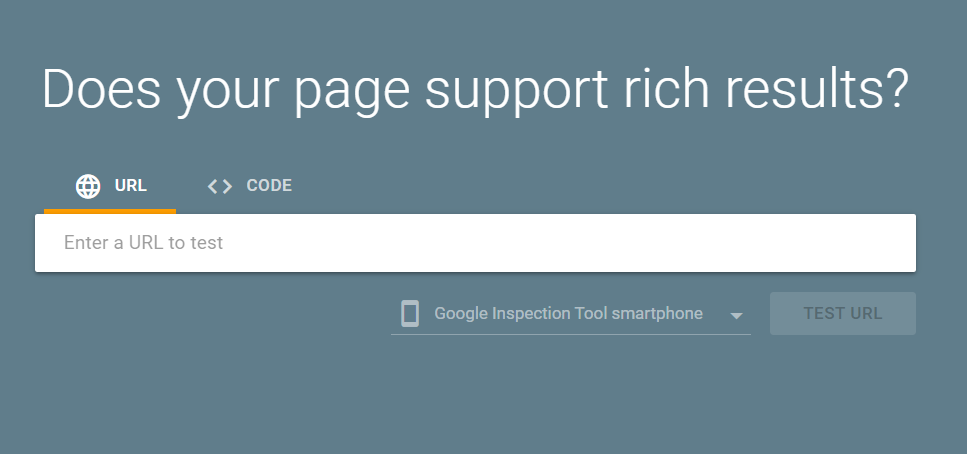
Tool 1: Rich Results Test
Google’s Rich Results Test lets you test a publicly accessible page and see which rich results can be generated by the structured data it contains.
Use it to catch:
- JSON-LD parsing errors
- missing required fields (for Google-supported rich results)
- rendering differences (desktop vs smartphone inspector)
Tool 2: Schema Markup Validator
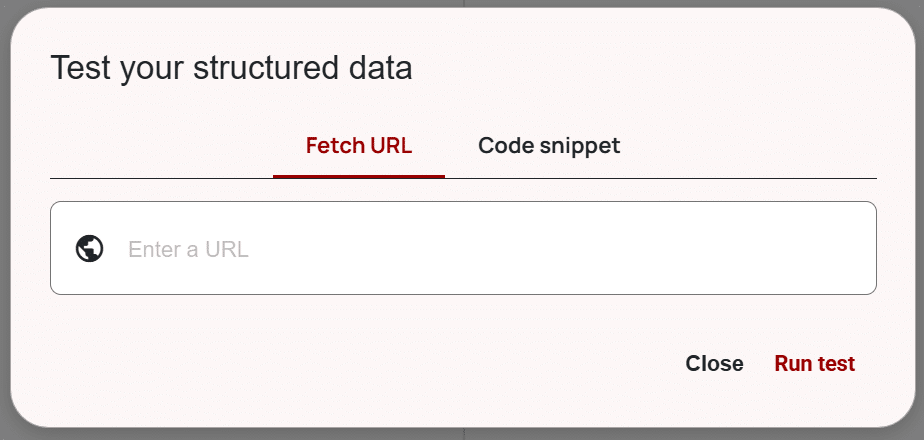
Schema.org’s validator helps validate schema syntax and structure even when it’s not tied to a specific Google rich result type.
This is where you validate Service markup especially, because it’s often “for understanding” more than for a rich result.
Step 2: Validate compliance (avoid structured data penalties)
Google’s structured data guidelines warn that structured data issues can trigger a manual action. A structured data manual action removes eligibility for rich results but doesn’t affect ranking in Google web search.
Key compliance rules to keep you safe:
- Don’t mark up invisible content
- Don’t misrepresent (fake reviews, fake info, etc.)
- Don’t block access to structured-data pages
Step 3: Deploy in controlled slices
Roll out schema like you roll out infrastructure:
- deploy to a small set of pages
- validate
- expand coverage
Google’s Organization schema guide explicitly recommends validating with Rich Results Test and then using URL Inspection to test how Google sees the page.
Step 4: Monitor and maintain
Set a monthly (or biweekly) “signal QA” routine:
- Search Console enhancements reports (where applicable)
- Crawl a sample set of URLs (Screaming Frog / Sitebulb)
- Diff canonical tags and index directives vs last crawl
- Spot check mobile rendered HTML
- Validate schema on key templates
AI visibility is rarely “set it and forget it.” It’s “set it and regress it accidentally 17 times.”
So build the habit.
Bonus: AI crawler access (the part everyone forgets)
If your goal is to show up in AI-powered search experiences, you need to be aware that some systems have their own crawlers.
For example, OpenAI documents that it uses crawlers and user agents, and that it uses OAI‑SearchBot and GPTBot robots.txt tags so webmasters can manage how their content works with AI.
OpenAI also notes you can allow OAI‑SearchBot for search visibility while disallowing GPTBot for training, and that robots.txt updates can take about 24 hours to reflect.
Google also documents Google‑Extended as a robots.txt token used to control whether content can be used for training Gemini models (and grounding), and explicitly says it doesn’t impact inclusion in Google Search and isn’t a ranking signal.
You don’t need to go down a rabbit hole here, but you do need to know:
- which bots you’re allowing
- which bots you’re blocking
- whether you accidentally cut off the very machines you want reading you
Does schema affect AI answers?
Schema is best thought of as machine labeling.
Google says it uses structured data it finds to understand page content and gather information about entities.
So schema can absolutely influence how confidently a machine interprets “who you are” and “what this page represents.”
But schema is not a guarantee:
- Google explicitly says it doesn’t guarantee structured-data features will show in results.
- A structured data manual action removes rich result eligibility but doesn’t affect ranking.
So: schema helps interpretation and attribution. It’s not a cheat code.
Which schema types matter most?
For service businesses, the highest-leverage “identity” stack is:
- Organization (who you are + disambiguation)
- LocalBusiness (where you are + business details)
- Service (what you provide)
- FAQPage (structured Q&A with the SERP caveats)
How do we validate structured data?
Use both:
- Rich Results Test (Google eligibility + parsing)
- Schema Markup Validator (schema correctness beyond Google features)
Then monitor via Search Console and establish a recurring QA cadence.
What technical SEO impacts AI visibility the most?
The non-negotiables:
- crawlability + indexability (robots, meta robots, headers)
- canonical consistency (avoid conflicting canonical signals)
- mobile-first parity (mobile is what gets indexed)
- performance thresholds (Core Web Vitals)
How do we fix canonical/indexing issues?
Start with the principle: One page, one canonical, one set of signals.
Then:
- choose canonical URLs and enforce them in internal links, canonicals, and sitemaps
- avoid conflicting canonical techniques
- don’t “solve” indexing with robots.txt if you need meta robots honored
If you only do one thing this week…
Pick your top 10 revenue pages (services + locations).
And for each page, verify:
- 200 status
- indexable
- canonical correct
- in sitemap as canonical
- Organization/LocalBusiness/Service schema present and tied to the right entity IDs
- mobile parity
- passes Rich Results Test + Schema Validator
If you do that, you’ve built something most sites still don’t have:
A machine-readable brand.
And that’s the foundation of SEO for AI.
About The Author