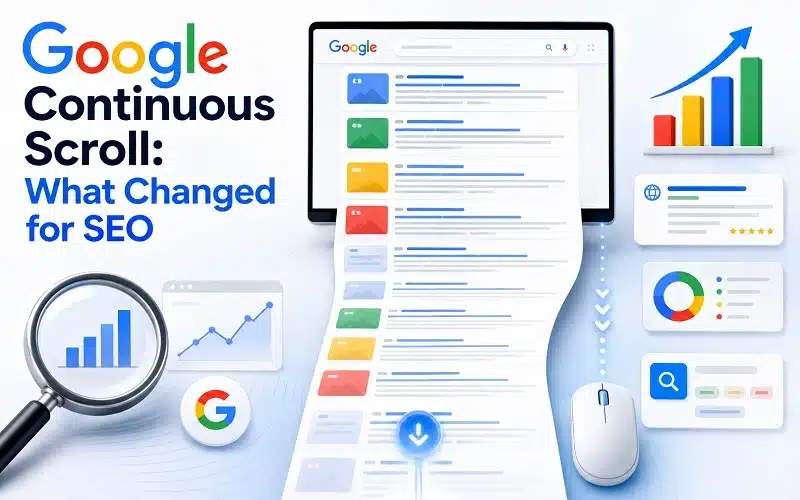
Google continuous scroll was introduced to make desktop search feel faster and more natural. Instead of clicking from one numbered results page to another, users could scroll down and allow additional search results to load automatically.
However, this search experience is no longer current. Google began removing continuous scroll from desktop search in June 2024 and restored traditional pagination. Mobile search was also scheduled to move away from automatic continuous loading.
The original announcement remains an important part of Google Search history, but site owners need an updated explanation of what happened. This guide examines why continuous scroll was introduced, why Google reversed the decision, and what the return of pagination means for SEO.
What Was Google Continuous Scroll?
Google continuous scroll was a search interface that automatically displayed more organic results as users moved toward the bottom of the search results page.
Before the feature was introduced, desktop users normally saw a numbered pagination bar at the bottom of each page. They had to click the next page number to view additional search results.
Continuous scroll reduced this interruption by loading more results automatically. On desktop, Google could show the equivalent of several traditional results pages before displaying a button that allowed the user to continue.
The feature was closer to continuous loading than true infinite scrolling. Results did not load forever without interruption, but users could view substantially more content before needing to click another control.
When Did Google Introduce Continuous Scroll?
Google launched continuous scroll for mobile search in October 2021. The company expanded the experience to desktop search results in December 2022.
At the time, Google explained that desktop users could continue discovering relevant results with fewer clicks. Up to six traditional pages of results could be shown automatically before users encountered a “More results” option.
The change reflected a wider move toward more exploratory search experiences. Google was also adding related topics and filters that allowed people to refine searches and investigate connected subjects more easily.
Businesses following the wider evolution of the search engine can also review this summary of Google’s SEO changes to understand how interface updates fit alongside larger developments in search.
Why Did Google Introduce Continuous Scroll?
The main purpose of continuous scroll was to reduce friction while people explored search results. Users could move beyond the first set of listings without repeatedly clicking numbered pages and waiting for a separate results page to open.
This format was familiar to people already using social media feeds, ecommerce category pages, and mobile applications. It made the transition between groups of search results feel less noticeable.
Continuous scroll could be particularly useful for broad or exploratory searches. A person comparing ideas, researching an unfamiliar subject, or reviewing several options could examine more results within one flowing experience.
The change did not mean that every result suddenly had equal visibility. Listings near the top of the search results still appeared before lower-ranking pages, but the interface reduced the obvious barrier between the first and later sets of results.
Why Did Google Remove Continuous Scroll?
Google began turning off continuous scroll for desktop search on June 25, 2024. The company restored the traditional pagination bar and indicated that mobile search would follow.
Google said the change would allow it to serve results faster and avoid automatically loading listings that users had not specifically requested. In other words, returning to pagination was presented as a performance and efficiency decision rather than an SEO ranking update.
The reversal occurred roughly a year and a half after continuous scroll reached desktop search. It showed that even major interface changes may be adjusted when Google determines that another format better supports performance or user behaviour.
For businesses, the lesson is not to rebuild an entire SEO strategy around one temporary interface feature. Search experiences continue to change, while the need for relevant, useful, and technically accessible content remains more stable.
What Is the Difference Between Continuous Scroll and Pagination?
Pagination divides search results into clearly separated pages. Users reach the bottom of one page and choose whether to open the next set of results.
Continuous scroll reduces those visible divisions. Additional listings load as the user reaches the lower part of the page, allowing the search journey to continue with fewer deliberate actions.
Traditional pagination gives users a clearer sense of where they are within the results. Continuous scrolling creates a smoother experience but may make it harder to remember the exact point at which a particular listing appeared.
The return of pagination does not change the basic purpose of search rankings. Google still organizes results according to its systems, while the interface determines how people access and move through those results.
Did Continuous Scroll Change Google Rankings?
Google described continuous scroll as a search-interface change, not as a new ranking system. The feature changed how results were presented and how easily users could continue exploring, but it did not automatically improve a page’s ranking position.
A page ranking below the first group of results may have become easier to encounter because users could keep scrolling. That did not mean the page moved higher or gained the same visibility as a top-ranking result.
Site owners should therefore separate ranking from presentation. Ranking determines where a result appears, while the interface affects how a user moves through the results and whether they continue far enough to see it.
This distinction is also important as businesses adapt to SEO for AI-powered search. New layouts and AI features may influence how information is displayed, but websites still need accessible pages that clearly satisfy relevant search intent.
Was Continuous Scroll Good for Website Owners?
Continuous scroll created possible benefits for pages that appeared beyond the first group of organic results. Users could reach those listings without making the conscious decision to click page two, page three, or another numbered page.
However, increased accessibility did not guarantee increased traffic. Users still evaluated titles, descriptions, brands, and result types before deciding which listing to open.
The feature may also have created a longer and more crowded search experience. A result could technically be available within the loaded page while still receiving limited attention because it appeared far below advertisements, rich results, videos, maps, shopping units, or other search features.
For this reason, site owners should not judge performance based only on whether a result appears somewhere in the search results. Impressions, clicks, click-through rate, conversions, and the relevance of the traffic provide a more complete view.
What Does the Return of Google Pagination Mean for SEO?
The return of Google pagination makes the separation between result pages visible again. Users must take an additional action when they want to continue beyond the current set of results.
This reinforces the importance of improving both ranking potential and search-result presentation. A page needs to compete for visibility, but it must also give users a convincing reason to select it when it appears.
Businesses should continue treating organic search as a long-term growth channel rather than depending on temporary interface advantages. Understanding why SEO remains a valuable business investment can help teams focus on sustainable improvements rather than reacting to every visual change in the SERP.
Google’s return to pagination does not make lower-ranking content worthless. Pages can improve over time when they are updated, internally connected, aligned with search intent, and supported by stronger topical coverage.
Focus on Search Intent Instead of SERP Layout
Search intent explains what a user is trying to accomplish. A person may want a quick answer, a detailed guide, a product comparison, a local provider, or a specific website.
An SEO strategy should begin by identifying that purpose and building the page around it. The content should answer the main question early, provide enough detail, and avoid sections that exist only to increase the word count.
Google has repeatedly emphasized content created to help people rather than pages designed mainly to attract search traffic. Its ranking systems evaluate helpfulness through multiple signals rather than relying on one standalone factor.
Companies can use AI-driven SEO strategies to support research and content planning, but the finished page should still provide original value, accurate explanations, and a strong connection to the user’s needs.
Improve Titles and Search Descriptions
A high impression count does not automatically produce clicks. Users still need to understand what a page offers and why it is relevant to their query.
Page titles should describe the subject accurately while giving the user a clear reason to choose the result. Vague titles, exaggerated claims, and unnecessary repetition can reduce clarity.
Meta descriptions should summarize the value of the page without promising information the content does not provide. Although Google may generate a different search snippet, a well-written description can still clarify the page’s purpose.
Google advises site owners to examine impressions and clicks when evaluating search performance. When impressions remain steady but clicks decline, titles and snippets may be among the areas worth reviewing.
Build Stronger Topical Coverage
One article cannot answer every question connected to a broad subject. Websites can create stronger coverage by publishing related pages that address different but connected search intents.
For example, a general page about Google Search changes could link to separate resources covering indexing, AI visibility, content quality, click-through rate, and technical performance.
Internal linking helps readers continue their research and shows how the website’s pages relate to one another. Descriptive anchor text is more useful than repeatedly using generic phrases such as “click here.”
Site owners should also investigate pages that are crawled but not indexed. Content cannot generate meaningful search visibility when Google cannot index it or does not consider it suitable for inclusion.
Strengthen Page Experience and Website Performance
Search-interface speed was one reason Google gave for ending continuous scroll. Website owners should apply the same principle to their own pages by reducing unnecessary friction after a visitor clicks.
Pages should load efficiently, respond properly to interactions, and remain visually stable as content appears. Google’s Core Web Vitals measure loading performance, responsiveness, and visual stability as part of evaluating real-world page experience.
Broader website optimization should also address mobile usability, navigation, internal search, content readability, and conversion paths.
A strong ranking can attract a visit, but a confusing or slow website may prevent that visitor from reading, enquiring, or purchasing.
Monitor Results in Google Search Console
Google Search Console allows site owners to review clicks, impressions, average click-through rate, and average position. Reports can also be filtered by query, page, country, device, date, and search appearance.
These metrics should be examined together. Google recommends focusing more on trends in impressions and clicks than on average position alone because position is an averaged and approximate measurement.
A page receiving impressions but few clicks may need a better title or stronger alignment with the query. A page losing both impressions and clicks may require a broader review of rankings, demand, indexing, competition, and content quality.
Businesses should also set up Google Analytics tracking so they can understand what visitors do after arriving. Search Console explains discovery and clicks, while analytics data can provide additional insight into engagement and conversions.
More advanced teams can use AI visibility scorecards and reporting to monitor how content performs across developing search experiences as well as traditional organic results.
Balance Organic Search With Other Channels
Google’s search layout will continue to evolve. Businesses should avoid relying on a single result type, interface feature, or traffic source for all customer acquisition.
Organic SEO can create long-term visibility, while paid advertising can provide more immediate placement for selected keywords and audiences. A comparison of SEO versus paid ads for small businesses can help companies decide how to balance the two approaches.
Social media, email, referral traffic, video, and direct brand searches can also reduce dependence on one channel. The objective is not to abandon Google Search but to create a more resilient marketing strategy.
Businesses that are uncertain how these channels should work together may need to consider when digital marketing consulting services are worth the investment.
Avoid Reacting to Every Google Change
Search updates deserve attention, but not every interface adjustment requires a complete website redesign. Continuous scroll was introduced, expanded, and later removed within a relatively short period.
Site owners should first determine whether an update affects ranking, indexing, presentation, reporting, advertising, or user behaviour. These are connected areas, but they do not always require the same response.
Making rushed changes without evidence can create new problems. Common digital marketing mistakes include reacting without sufficient data, targeting the wrong audience, and measuring activity without connecting it to business outcomes.
A more reliable approach follows the golden rules of digital marketing success: understand the audience, establish clear goals, create useful content, measure performance, and improve continuously.
Conclusion
Google continuous scroll was introduced to help users explore more desktop search results with fewer clicks. It reduced the visible separation between traditional results pages and gave people a smoother way to continue researching a topic.
Google later reversed the change and restored pagination, explaining that this would help it deliver results faster without automatically loading listings users had not requested. The decision confirms that search interfaces can change even when the underlying need for relevant and accessible content remains the same. (Search Engine Roundtable)
Website owners should focus on the factors they can control: satisfying search intent, improving titles and snippets, building topical coverage, strengthening internal links, maintaining technical quality, and monitoring impressions and clicks.
Continuous scroll may have disappeared, but the wider lesson remains useful. Sustainable SEO comes from creating the best possible result for the intended audience rather than depending on a temporary Google Search feature.
Frequently Asked Questions
Does Google still use continuous scroll on desktop search?
Google began removing continuous scroll from desktop search in June 2024 and restored traditional pagination. The company said the change would help it serve results faster and avoid loading results users had not requested.
Why did Google remove continuous scroll?
Google stated that pagination would allow the search engine to load results more efficiently. Instead of automatically displaying several groups of results, Google could show additional listings when users deliberately requested them.
Did continuous scroll affect Google rankings?
Continuous scroll changed how users viewed and navigated search results, but Google did not present it as a new ranking system. A page’s placement still determined how early it appeared within the continuously loaded results.
What does Google pagination mean for website traffic?
Pagination creates a visible boundary between groups of results and requires users to request the next page. Site owners should monitor Search Console impressions, clicks, click-through rate, and query performance to understand the effect on their own pages.
How should businesses optimize for Google Search after continuous scroll?
Businesses should create helpful content that matches search intent, improve page titles and snippets, strengthen internal linking, maintain good page performance, and monitor search trends. These priorities remain relevant regardless of whether Google uses scrolling, pagination, or another search interface.
About The Author