Your Instagram profile might attract plenty of visitors, but getting someone to visit your profile is only the beginning.
The bigger question is: What happens once they get there?
Potential customers may discover your business through a Reel, an Instagram search, a recommendation, an ad, or a post shared by someone they follow. When they land on your profile, they are often trying to answer a few basic questions very quickly:
- What does this business actually offer?
- Is this relevant to me?
- Can I trust them?
- How does buying or working with them work?
- What should I do next?
That is where Instagram Highlights can become much more than a place to save old Stories.
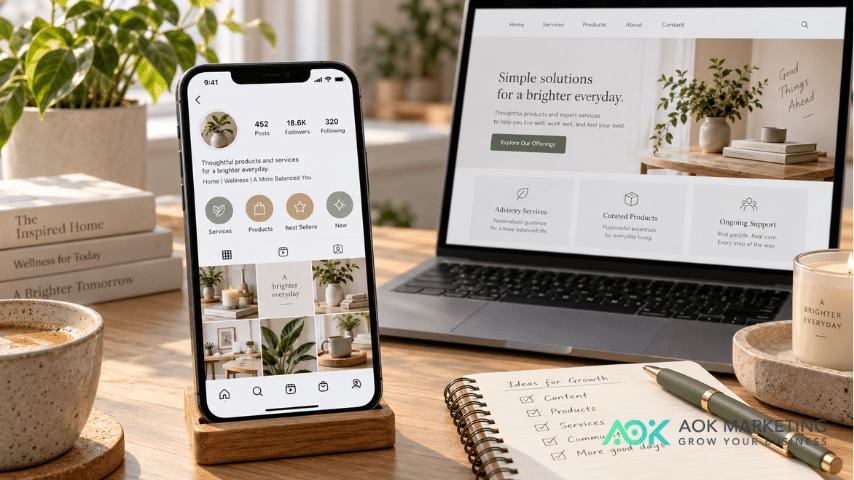
When organized strategically, Highlights can act almost like navigation for your Instagram profile, guiding potential customers from discovering your business to understanding your offer and eventually taking action.
Here is how to organize Instagram Highlights for more sales.
Think of Your Instagram Profile Like a Mini Website
A good business website does not simply throw every piece of information onto one page.
It creates a path.
A visitor might move from:
Homepage → Services → Reviews → FAQ → Contact
Your Instagram Highlights can follow the same basic idea.
Instead of saving Stories into random categories such as:
Events | Random | 2026 | BTS | Fun
think about what a potential customer needs to know before making a decision.
A more useful structure might look like:
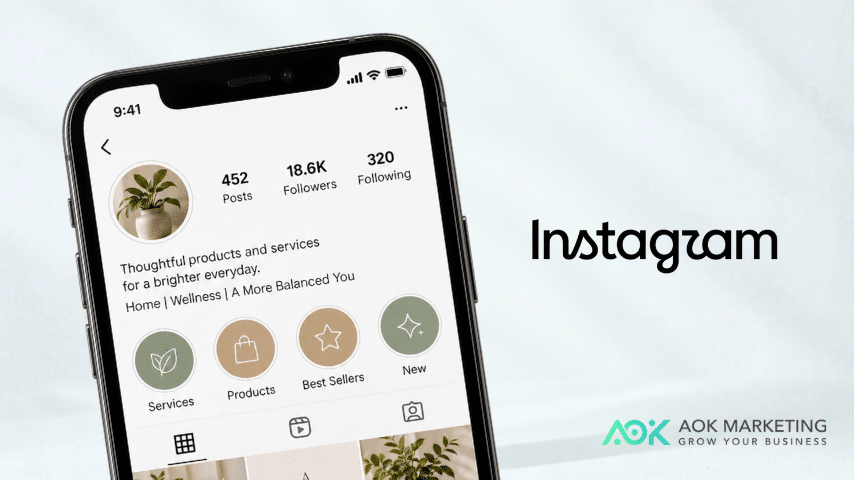
Start Here | Services | Results | Reviews | FAQ | About | Contact
The goal is not simply to show people more content.
The goal is to make it easier for them to find the information that helps them decide whether your business is right for them.
1. Start With a “Start Here” Highlight
Imagine discovering a business for the first time.
You probably do not want to spend several minutes scrolling through hundreds of posts trying to understand what the company does.
Create a Highlight specifically for new visitors.
Call it something simple such as:
Start Here
New Here?
Welcome
About Us
The Stories inside should quickly explain:
What your business does.
Who you help.
What problem you solve.
What makes your approach different.
Where someone should go next.
For example, a marketing agency might structure it like this:
Story 1: We help businesses become easier to find online.
Story 2: Our services include SEO, content marketing, paid media, and AI search optimization.
Story 3: We work with businesses looking to increase visibility, leads, and online growth.
Story 4: Explore our Services, Results, and FAQ Highlights to learn more.
Within a few taps, a new visitor understands the business.
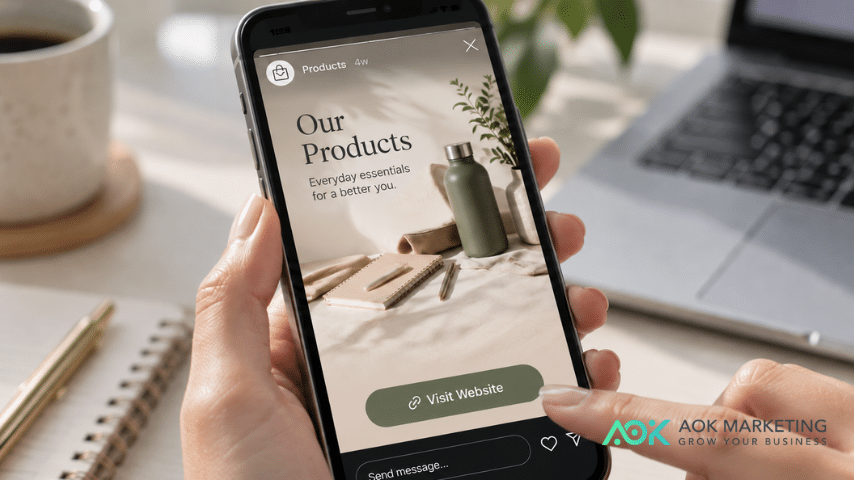
2. Create a Highlight for Your Products or Services
Once someone understands what your company does, the next logical question is:
What can I actually buy?
Your product or service Highlight should make that answer obvious.
If you are a service business, you might create one Highlight called Services, or separate Highlights for your main services.
For example:
SEO
Paid Ads
Social Media
Content
AI Search
An ecommerce company could instead organize Highlights around:
Best Sellers
New Arrivals
Collections
Gift Ideas
Under $50
Avoid turning these Stories into complicated advertisements.
Keep each one focused on one idea.
Explain:
What it is → who it is for → why it matters → what to do next.
A potential customer should be able to understand your offer without needing to send you a message asking what you actually sell.
3. Put Social Proof Where People Can Easily Find It
Businesses naturally talk about how good their products or services are.
Customers expect that.
What often carries more weight is seeing evidence from other customers.
Create a dedicated Highlight for social proof.
You might call it:
Reviews
Results
Clients
Success Stories
Testimonials
Include customer feedback, screenshots of reviews, project results, case studies, user-generated content, before-and-after examples, or customer photos when you have permission to share them.
For service businesses, try adding context rather than simply posting a screenshot.
For example:
The challenge: Organic traffic had plateaued.
What we worked on: Technical SEO and content strategy.
The result: Explain the measurable outcome.
This helps potential customers understand what the testimonial actually means.
4. Answer the Questions That Stop People From Buying
Some customers are interested in your product but still have questions.
Those questions can create friction.
A strong FAQ Highlight gives potential customers answers before they need to contact you.
Think about the questions your sales or customer service team receives repeatedly.
They might include:
- How much does it cost?
- How long does the process take?
- Do you ship internationally?
- Can I customize my order?
- What is your minimum order?
- How do I book?
- What happens after I purchase?
- Who is this service best for?
- Do you offer packages?
Create one Story for each important question.
Keep the answer short and easy to scan.
If the subject requires a longer explanation, direct visitors to the relevant page on your website.
Your FAQ Highlight is not simply customer service content. It can help remove uncertainty from the buying process.
5. Show Customers How the Process Works
People are often more comfortable purchasing when they know what happens next.
That makes a How It Works Highlight particularly useful for businesses selling services, customized products, consultations, subscriptions, or anything with several steps.
For example:
Step 1
Tell us what you need.
Step 2
We recommend the right solution.
Step 3
We prepare your quote or proposal.
Step 4
You approve the project.
Step 5
We get to work.
A simple process can make an unfamiliar service feel easier to purchase.
This is especially important for higher-consideration purchases where someone may be comparing several businesses.
6. Organize Highlights Around the Customer Journey
The order of your Highlights matters too.
Do not think only about categories.
Think about the sequence of questions someone might have.
A simple structure for many businesses could be:
Start Here → Products/Services → How It Works → Results → Reviews → FAQ → Contact
Notice what happens.
The customer first understands the company.
Then they discover the offer.
Then they learn how it works.
Then they see evidence that other customers trust the company.
Then their remaining questions are answered.
Finally, they are shown how to take action.
That creates a much more intentional experience than organizing Highlights based only on when the Stories were posted.
7. Give Every Important Highlight a Next Step
One of the biggest mistakes businesses make on social media is providing useful information without telling people what to do afterward.
A Story can educate someone and still support a sale.
At the end of a Highlight, include a clear next step.
Depending on your business, that might be:
Shop the collection
View our services
Read the full guide
Request a quote
Book a consultation
Send us a message
See the case study
Visit our website
The call to action should make sense based on what the person has just watched.
Someone viewing a Reviews Highlight could be invited to explore your services.
Someone viewing Products could be directed to shop.
Someone viewing FAQ might be encouraged to contact your team if their question was not answered.
You are helping the visitor continue their journey.
8. Keep Highlight Covers Simple
Your Highlight covers should help people navigate your profile, not make them decode it.
Consistency helps.
Use similar colors, icons, typography, or photography across the covers so they feel like part of the same brand.
More importantly, use straightforward names.
A clever name may look creative, but something like Results usually communicates more quickly than an internal phrase customers may not understand.
Think about usability before aesthetics.
Your visitor should know what they will find before tapping.
9. Remove Outdated Information
Highlights are easy to create and equally easy to forget.
That can create problems.
A potential customer may encounter:
- an expired promotion
- an old price
- a discontinued product
- outdated opening hours
- an employee who no longer works there
- an old service package
- a link to something that no longer exists
Review your Highlights periodically and remove information that is no longer accurate.
Your Highlights should represent your business today, not simply preserve everything you have posted in the past.
10. Use Your Best Stories More Than Once
You do not have to constantly create completely new content for your Highlights.
One useful Story may belong in several stages of the customer journey.
For example, a customer testimonial could appear in your Reviews Highlight while also inspiring a case study, Reel, LinkedIn post, website testimonial, or email.
A frequently asked question could become:
- an Instagram Story
- an FAQ Highlight
- a Reel
- a blog section
- a website FAQ
- a sales-team resource
Good marketing content should work harder than once.
A Simple Instagram Highlight Structure for Businesses
If you are rebuilding your Highlights from scratch, start simple.
Try:
Start Here
Explain who you are and what you do.
Products / Services
Show what customers can buy.
How It Works
Explain your process.
Results
Demonstrate outcomes or completed work.
Reviews
Show customer experiences.
FAQ
Answer common questions.
Contact / Order
Tell people exactly how to take the next step.
You may not need every category.
A restaurant, ecommerce store, consultant, hotel, marketing agency, or local service company will naturally organize its profile differently.
The principle remains the same:
Every Highlight should have a purpose.
Do Instagram Highlights Actually Increase Sales?
Instagram Highlights should not be viewed as a magic conversion tactic.
Simply creating a few attractive Highlight covers will not suddenly generate customers.
Their value comes from making your Instagram profile easier to understand and navigate.
A well-organized profile can help a potential customer quickly find your products, understand your services, see customer experiences, resolve common questions, and discover the appropriate next step.
Think of Highlights less as decoration and more as part of the customer journey.
Before You Create Another Highlight, Ask One Question
Instead of asking:
“What Stories should we save?”
ask:
“What would a potential customer need to know next?”
That small shift changes the purpose of your Highlights.
You are no longer simply archiving content.
You are organizing information around the questions, concerns, and decisions customers make before buying.
And that is what can turn an Instagram profile from a collection of posts into a much more useful marketing and sales tool.
Build a Social Media Strategy That Goes Beyond Posting
Instagram Highlights are only one part of an effective social media strategy.
The strongest profiles connect content, search visibility, audience growth, customer education, and conversion into one clear journey.
If your business is generating attention on social media but struggling to turn that attention into traffic, leads, or customers, AOK Marketing can help you build a digital marketing strategy designed around measurable business growth.
About The Author