If you are trying to improve your website’s SEO, two tools will come up again and again: Google Analytics and Google Search Console.
Both are free Google platforms. Both provide valuable website data. Both can help you understand whether your digital marketing efforts are working.
But they answer very different questions.
The simplest way to understand Google Analytics vs Google Search Console is this:
Google Search Console tells you what happens before someone reaches your website from Google Search. Google Analytics tells you what happens after they arrive.
Search Console helps you understand your visibility in Google’s search results, including which queries trigger your pages, how often those pages appear, how many people click, and your average search position. Google Analytics, specifically GA4, focuses much more heavily on website and app activity, including users, sessions, traffic sources, engagement, events, and key events.
For businesses investing in SEO, content marketing, paid advertising, or lead generation, choosing between them is the wrong question.
You should be using both.
Here is what each platform does, where their data differs, and how combining them can give you a much clearer picture of your website’s performance.
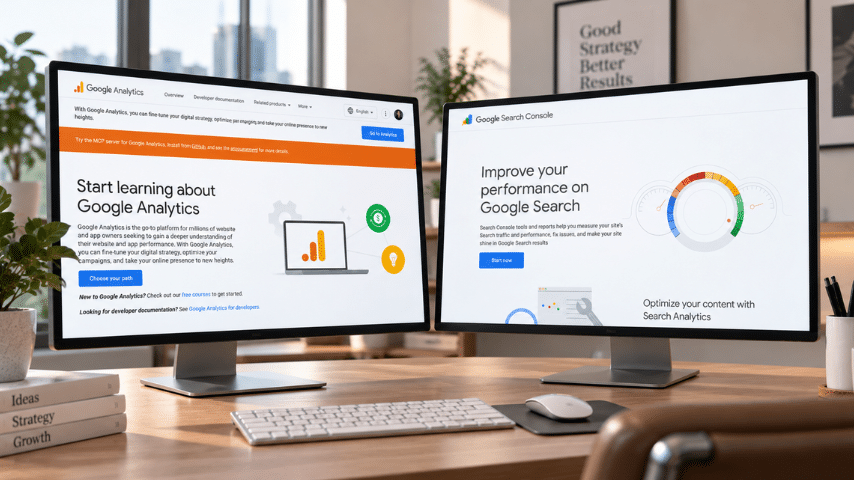
What Is Google Analytics?
Google Analytics 4, or GA4, is a website and app analytics platform designed to show how people find and interact with your digital properties.
Once someone reaches your website, Analytics can help answer questions such as:
- How many users visited?
- Where did those visitors come from?
- Which pages did they view?
- How long did they engage with the website?
- Which marketing channels generated traffic?
- Did visitors complete important actions?
- Which landing pages resulted in leads or sales?
- Are visitors returning?
- Which campaigns generated the strongest results?
Google Analytics includes acquisition, engagement, user, monetization, retention, and other reports. Its Traffic Acquisition report, for example, can break sessions down by channels such as Organic Search, Direct, Paid Social, Organic Social, and Email.
That makes GA4 particularly useful for understanding what happens after someone enters your website.
Imagine 1,000 visitors reach a service page this month.
Google Analytics can help you determine whether those visitors:
- stayed and explored,
- immediately left,
- viewed additional pages,
- submitted a contact form,
- downloaded a resource,
- completed a purchase,
- or triggered another action you have configured as an important event.
That information is critical because attracting traffic is only one part of digital marketing.
The next question is whether that traffic actually does anything valuable.
What Is Google Search Console?
Google Search Console is primarily an organic search performance and website visibility tool.
Instead of concentrating on visitor behavior after someone lands on your site, Search Console helps you understand how your website is appearing within Google Search.
Its Performance report can show:
- Clicks
- Impressions
- Click-through rate
- Average position
- Search queries
- Landing pages
- Countries
- Devices
- Search appearances
Google defines an impression as an instance where a link to your site is shown within the applicable Google search surface, while clicks measure interactions that send users to your site. CTR is calculated from clicks divided by impressions.
For SEO professionals, that information is extremely valuable.
Suppose you published an article targeting the keyword:
“best promotional products for employees”
Google Search Console might reveal that the page is also appearing for searches such as:
- employee appreciation gifts
- corporate gifts for employees
- employee swag ideas
- company gifts for staff
- best employee welcome gifts
You may never have intentionally targeted all of those phrases.
Search Console can reveal them because it shows the actual queries that generated search visibility for your website.
That makes it one of the most useful tools available for discovering new SEO opportunities.
Google Analytics vs Google Search Console: The Main Difference
The biggest difference between Google Analytics and Google Search Console is where each platform observes the customer journey.
| Google Search Console | Google Analytics |
|---|---|
| Focuses primarily on Google Search | Covers website/app activity from multiple traffic sources |
| Measures search impressions | Measures users and sessions |
| Shows search queries | Shows traffic sources and channels |
| Tracks Google Search clicks | Tracks website visits and interactions |
| Shows average search position | Shows engagement and user behavior |
| Helps identify SEO opportunities | Helps evaluate website and marketing performance |
| Shows search CTR | Shows engagement rate and key events |
| Useful before a website visit | Useful primarily after a website visit |
Another useful way to think about it is:
Search Console = How people find you through Google.
Google Analytics = What people do once they find you.
Neither view alone gives you the entire story.
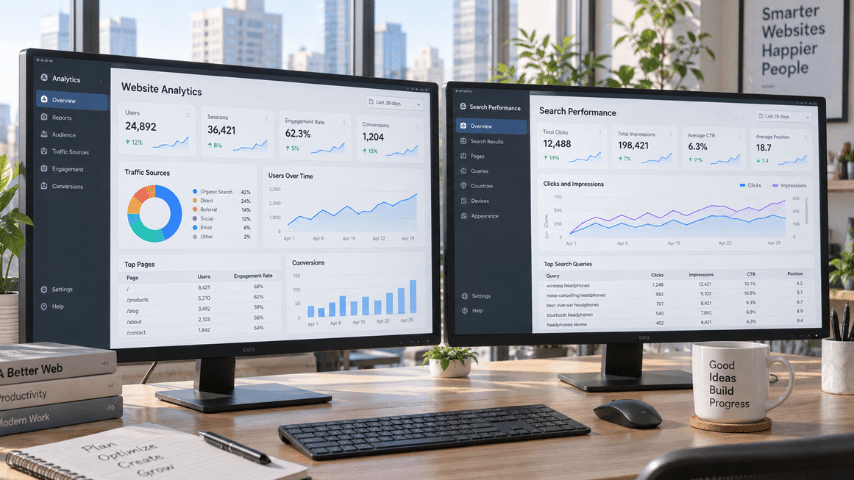
Example: How Google Analytics and Search Console Tell Different Stories
Suppose your business publishes a blog called:
“25 Best Trade Show Giveaways for 2027.”
A few months later, you want to know whether the article is performing.
Search Console might show:
- 90,000 impressions
- 3,200 Google Search clicks
- 3.6% organic CTR
- Average position of 6.8
It might also show that people are finding the article through queries including:
- trade show giveaways
- best trade show giveaways
- conference giveaway ideas
- promotional products for trade shows
- unique trade show swag
That tells you the article has gained substantial search visibility.
But it still does not fully answer an important business question:
Was that traffic valuable?
That is where Google Analytics comes in.
Google Analytics might show:
- 3,100 organic sessions
- 2,400 engaged sessions
- 2 minutes 34 seconds average engagement time
- 320 visitors who viewed a product page
- 78 visitors who initiated an inquiry
- 23 completed lead-generation actions
Now you have a much more useful picture.
Search Console tells you that Google is successfully surfacing the article.
Analytics tells you whether the traffic reaching the article is interacting with your business.
Why Do Google Analytics and Search Console Show Different Traffic Numbers?
This is one of the most common sources of confusion when comparing Google Search Console vs Google Analytics.
You may open both platforms, select what appears to be the same date range, and notice that the numbers do not match.
That does not necessarily mean something is broken.
The platforms measure different things and use different methodologies.
For example, Search Console’s Performance report measures clicks from Google Search, while GA4 measures website activity and sessions. GA4 sessions are groups of user interactions within a period of activity rather than simply a count of Google Search clicks.
Other differences involving attribution, tracking configuration, consent settings, filters, and measurement methodology can also affect reported totals.
So you generally should not expect:
Search Console clicks = Google Analytics organic sessions
Instead, use each metric for what it was designed to measure.
When Should You Use Google Search Console?
Use Search Console when your question is primarily about SEO visibility or Google Search performance.
Here are some of the most valuable applications.
1. Find Keywords You Already Rank For
Search Console can uncover queries your website is appearing for even if you never deliberately targeted them.
This is particularly useful for finding striking-distance keywords.
For example, imagine a page has:
- 12,000 impressions
- average position 11.4
- 180 clicks
A position near the bottom of page one or around page two may represent an opportunity.
You could potentially improve the page by:
- expanding relevant sections,
- matching search intent more closely,
- improving internal links,
- updating outdated information,
- adding original examples,
- improving the title,
- strengthening topical coverage.
Instead of creating another article from scratch, you may be able to improve something Google already understands.
2. Find High-Impression, Low-CTR Pages
Another useful SEO opportunity comes from pages receiving plenty of impressions but relatively few clicks.
For example:
60,000 impressions + 400 clicks
may indicate that your search listing is visible but not attracting as many visits as it could.
You could examine the page’s:
- title tag,
- meta description,
- search intent,
- ranking position,
- competing search results,
- content angle.
Search Console specifically allows you to compare impressions, clicks, CTR, and average position by query or page.
3. Monitor Ranking Trends
SEO should rarely be judged by a single day’s ranking.
Search Console allows you to compare performance across longer date ranges and identify whether a page or website is gaining or losing search visibility.
Look at combinations of:
- clicks,
- impressions,
- queries,
- pages,
- CTR,
- average position.
A decline in clicks alone does not always tell you what happened.
For instance:
Impressions down + clicks down
could indicate lower search demand or lost visibility.
But:
Impressions stable + clicks down + position down
could indicate ranking losses.
Context matters.
4. Discover New Content Opportunities
Search Console is also one of the best content-research tools hiding in plain sight.
Open a successful page and inspect all the queries generating impressions.
You may discover related questions or subtopics that deserve:
- new sections,
- FAQs,
- supporting articles,
- comparison pages,
- service pages,
- buying guides.
You are effectively getting keyword ideas from searches where Google already sees your website as potentially relevant.
When Should You Use Google Analytics?
Use Google Analytics when your question involves traffic, user behavior, campaigns, engagement, or business outcomes.
1. Understand Where Your Traffic Comes From
Google Analytics can show whether users arrive through:
- Organic Search
- Paid Search
- Direct
- Organic Social
- Paid Social
- Referral
- other channels
GA4’s acquisition reports are specifically designed to help businesses understand where users and sessions originate.
This allows you to compare SEO with your other marketing investments.
2. Measure Engagement
Getting a visitor is not the same as getting an interested visitor.
GA4 includes metrics such as engaged sessions and engagement rate. Google defines an engaged session as one that lasts longer than 10 seconds, includes at least one key event, or has at least two page or screen views.
That can help you identify pages that attract traffic but fail to hold attention.
3. Measure Leads, Sales, and Other Important Actions
This is where Analytics becomes especially important for businesses.
A page generating 50,000 visits might sound impressive.
But another page generating 5,000 visits may be far more valuable if it consistently produces:
- quote requests,
- purchases,
- phone calls,
- sign-ups,
- downloads,
- demo requests.
Traffic is a marketing metric.
Revenue and qualified leads are business metrics.
Ideally, your analytics strategy connects the two.
4. Compare Marketing Channels
Analytics also helps answer broader questions such as:
- Does organic search generate more engaged visitors than paid social?
- Which campaign sends visitors who convert?
- Which landing pages generate the most leads?
- Which source brings customers back?
- Which marketing investments produce meaningful actions?
That gives you information Search Console alone cannot provide.

Which Is Better for SEO: Google Analytics or Search Console?
For pure SEO analysis, Google Search Console usually provides more directly actionable search data.
It tells you which Google searches are producing visibility and clicks.
But strong SEO measurement requires Google Analytics as well.
Consider this scenario:
Page A
- 30,000 organic clicks
- 0.2% lead conversion rate
Page B
- 5,000 organic clicks
- 4% lead conversion rate
If you only measure search traffic, Page A appears considerably more successful.
Once business outcomes enter the picture, Page B may be much more valuable.
That is why SEO should not end with:
“Are we getting more organic traffic?”
It should eventually answer:
“Is organic search helping us achieve meaningful business outcomes?”
Search Console helps answer the first question.
Analytics helps answer much of the second.
Should You Connect Google Search Console to Google Analytics?
Yes, if you use both platforms.
Google allows Search Console properties to be linked with GA4 web data streams. Once configured, the integration can make Search Console information available through reports such as Google Organic Search Queries and Google Organic Search Traffic.
The benefit is not simply convenience.
It helps you connect two important stages of the customer journey:
Search visibility → Click → Website visit → Engagement → Business action
That is far more meaningful than evaluating rankings or traffic in isolation.
A Better SEO Workflow Using Google Analytics and Search Console Together
If you manage SEO for a business, try this process.
Step 1: Find Opportunities in Search Console
Look for:
- high-impression pages,
- ranking declines,
- queries in positions roughly 5–20,
- pages with low CTR,
- unexpected keywords,
- growing search topics.
Step 2: Identify the Landing Page
Determine which page Google is ranking for the query you want to improve.
Then examine the search intent.
Ask:
- Does this page actually answer the query?
- Is the information complete?
- Is the content current?
- Does another page target the same keyword?
- Could the title be improved?
Step 3: Check the Page in Google Analytics
Now examine what people do when they reach it.
Look at:
- sessions,
- engagement,
- events,
- key events,
- landing-page performance.
A page may rank well but provide a poor experience.
Another might receive less traffic but produce valuable customer actions.
Step 4: Optimize Based on Both Data Sets
Now you can make much better decisions.
For example:
High impressions + low CTR
Improve how the result competes in search.
High clicks + poor engagement
Improve the page experience or search-intent match.
Good rankings + good engagement + few conversions
Improve the conversion path or offer.
Position 8–15 + strong engagement
Consider strengthening the content because improved rankings could potentially produce valuable additional traffic.
Growing impressions + limited content coverage
Expand the page or build supporting content around the emerging topic.
This is where analytics becomes genuinely useful.
Instead of collecting numbers, you are using data to decide what to do next.
Google Search Console vs Google Analytics: Which Should Beginners Learn First?
If SEO is your primary responsibility, start with Google Search Console.
The interface is relatively straightforward, and four metrics will take you surprisingly far:
Clicks
Impressions
CTR
Average position
Then learn how to break those metrics down by:
Queries
Pages
Countries
Devices
Dates
Once you are comfortable identifying what is happening in Google Search, move deeper into GA4.
Learn:
- traffic acquisition,
- landing-page performance,
- engagement,
- events,
- key events,
- channel performance.
Eventually, the goal should be to stop thinking of them as separate tools.
Think of them as different windows into the same customer journey.
Google Analytics vs Google Search Console: Frequently Asked Questions
Is Google Search Console the Same as Google Analytics?
No.
Google Search Console primarily provides information about your website’s performance and visibility in Google Search. Google Analytics measures activity occurring on websites and apps and can report traffic from many different sources.
Do I Need Google Analytics If I Have Search Console?
For most businesses, yes.
Search Console is extremely useful for SEO, but it cannot replace the broader behavioral, acquisition, engagement, and event measurement available through Google Analytics.
Do I Need Search Console If I Have Google Analytics?
If organic search matters to your business, Search Console is strongly recommended.
Analytics can show that visitors arrived through organic search, but Search Console provides much deeper information about your visibility within Google Search, including impressions, queries, CTR, and average position.
Does Google Search Console Show Website Traffic?
It shows clicks generated through supported Google search surfaces rather than serving as a complete website traffic analytics platform.
If you want to understand traffic coming from SEO, email, paid advertising, referrals, social media, direct visits, and other channels together, Google Analytics is the more appropriate platform.
Is Google Search Console Free?
Yes.
Is Google Analytics Free?
Google Analytics offers the widely used standard GA4 product without a fee for typical website analytics needs, while Google also offers enterprise-level Analytics capabilities through its commercial offerings.
Can Google Analytics Show Google Search Keywords?
GA4 can receive Search Console information after the platforms are linked, including organic search query reporting. However, Search Console remains the primary platform for detailed analysis of your Google Search queries and performance.
Final Thoughts: Don’t Choose Between Google Analytics and Search Console
The Google Analytics vs Google Search Console comparison becomes much easier once you recognize that they are designed to answer different questions.
Use Google Search Console to understand:
How are people finding us on Google?
Use Google Analytics to understand:
What happens once people reach our website?
And use both to answer the question that actually matters:
Is our search visibility turning into meaningful business results?
That is the difference between simply monitoring SEO metrics and making decisions from them.
Rankings tell you where you appear.
Clicks tell you whether people choose you.
Analytics tells you what happens next.
When those three pieces are analyzed together, you get a much clearer picture of whether your website is simply attracting attention or actually helping your business grow.
About The Author