AI image tools are everywhere now.
Because of that, many brands already use them for social posts, ads, and website visuals. However, one key question still comes up:
Which tool actually creates images you can use—not just admire?
To find out, we ran a simple test.
Instead of using complex prompts, we kept things basic. We used one prompt and tested it across three tools:
– Canva
– ChatGPT
– Google Gemini
No edits were made. No extra instructions were added. As a result, what you see is the raw output from each tool.
The Prompt We Used
To keep the test fair, we chose a prompt that fits real marketing use:
“A modern workspace with a laptop, coffee, and branded promotional products on a clean desk, soft natural lighting, minimal aesthetic, high detail”
This type of image is useful for:
– Social media
– Website banners
– Campaign visuals
What We Evaluated
To compare the tools properly, we looked at:
– Realism
– Brand visibility
– Layout
– Detail
– Overall usability
Tool #1: ChatGPT
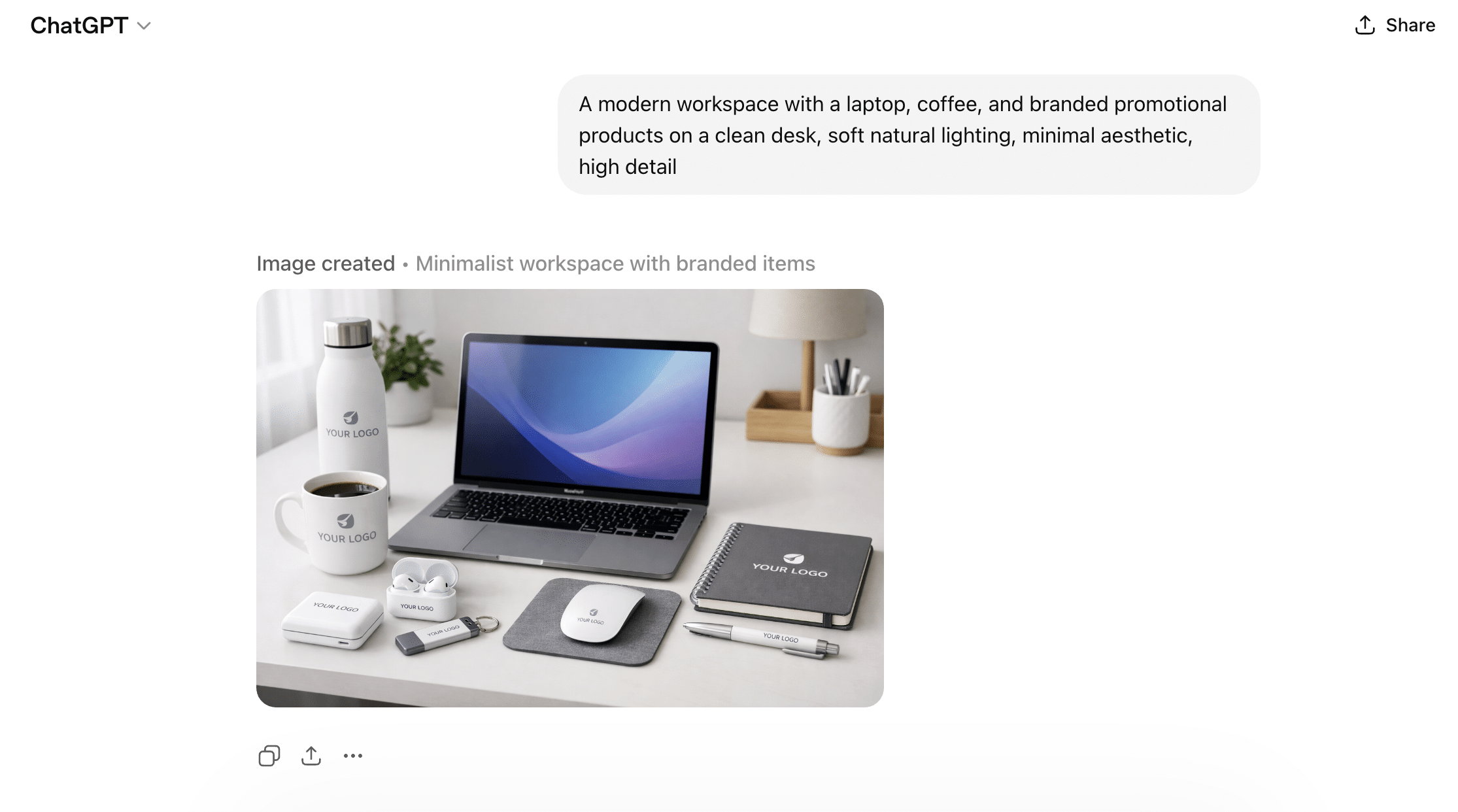
Right away, ChatGPT created a clean and simple workspace.
If you want clear and consistent branding, this is a strong option.
Tool #2: Google Gemini
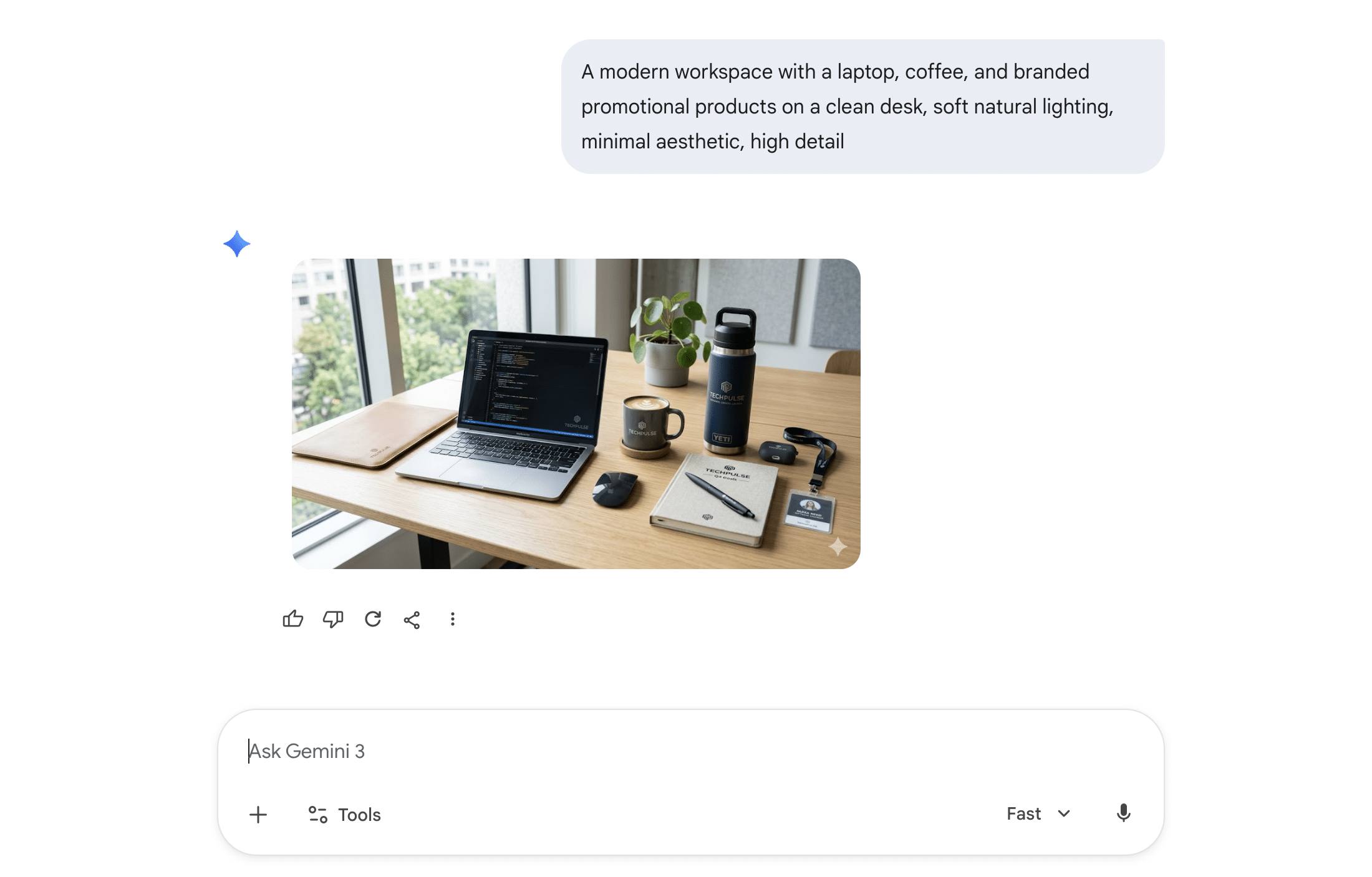
In contrast, Gemini created a more natural scene.
Tool #3: Canva
Meanwhile, Canva created a clean and stylish setup.

Side-by-Side Comparison
| Tool | Strength | Weakness | Best Use Case |
|---|---|---|---|
| ChatGPT | Strong branding | Slightly staged | Product visuals |
| Gemini | Realistic look | Less brand focus | Lifestyle content |
| Canva | Clean design | Less detail | Social media graphics |
Key Takeaways
– ChatGPT focuses on structure
– Gemini focuses on realism
– Canva focuses on style
Final Thoughts
AI image tools are now part of everyday marketing.
Read Also: Marketing ROI Analysis Guide | AOK Marketing
Read Also: Image Optimization for SEO Guide | AOK Marketing
About The Author