How to Set Up a Twitter Business Account on X
Twitter is now called X, but many people still search for “Twitter business account” when they want to create a company profile. Businesses use the platform to share updates, answer customers, join industry conversations, and direct users to their websites.
Creating the account takes only a few minutes. Making it look trustworthy requires more care. The guide below explains how to set up the profile while keeping the original screenshots. Since those images show an older Twitter interface, add a short historical caption under each one.
Create the Account With Business-Controlled Details
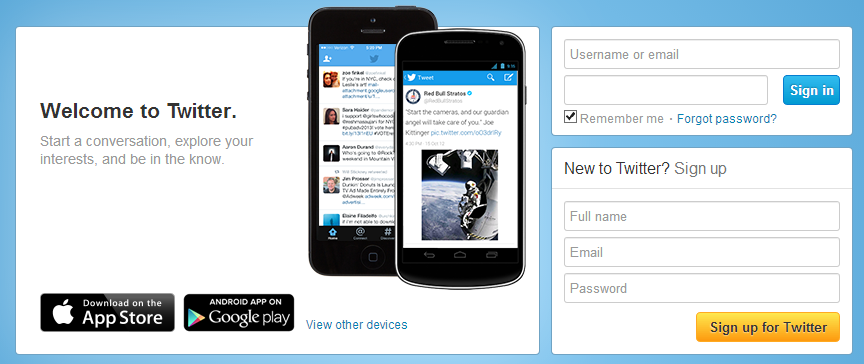
Go to X and select the option to create an account. The platform asks for a name and either an email address or phone number, followed by verification. It also supports signup through selected Google or Apple accounts.
Use the company’s real name and an email address owned by the business. Avoid registering through an employee’s personal email because that can create access problems when roles change. A shared address such as marketing@company gives the company control over verification messages and password recovery.
Choose a unique password and keep it in a secure password manager rather than sharing it through email or an unprotected document.
Choose a Clear Business Handle
The handle appears after the @ symbol and forms part of the profile address. It should be easy to remember and closely connected to the business name.
Use the exact company name when available. When it is taken, add a short identifier such as the city, industry, or official abbreviation. A handle like @NorthviewDesign is easier to recognize than one filled with random numbers.
X usernames can contain letters, numbers, and underscores, while the display name can contain the full company name. Keep both consistent with the website and other social profiles. (Help Center)
Follow Relevant Accounts During Onboarding
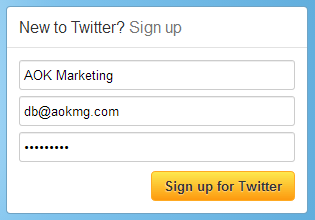
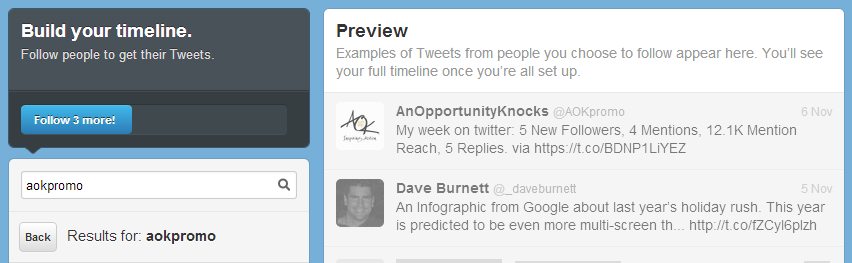
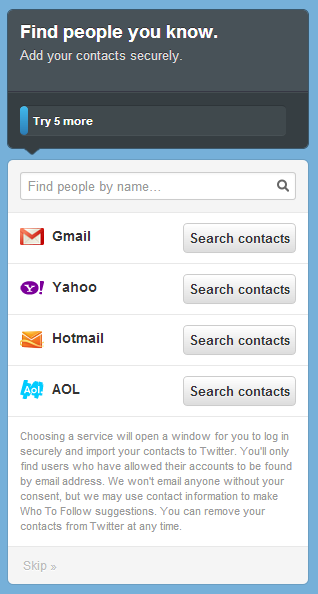
The old Twitter setup shown in the screenshots asked users to follow a fixed number of people. The current onboarding experience may suggest topics, interests, or accounts instead.
Do not follow random profiles simply to complete the setup. Start with customers, business partners, trade organizations, local groups, industry publications, suppliers, and professionals whose posts are useful.
This is also the right time to create a basic social media marketing plan. Decide who the account is for, which topics it will cover, how often it will publish, and what action readers should take.
Handle Contact Imports Carefully
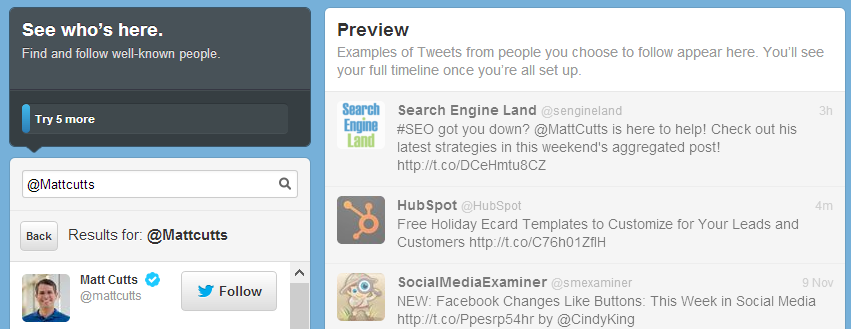
Older versions of Twitter encouraged users to import contacts from email services. The screenshot can remain, but a business does not need to upload its entire address book.
Customer and employee lists may contain information collected for another purpose. Build the first network manually by searching for known customers, partners, employees, local organizations, and industry contacts.

Complete the Profile Before Promoting It
An incomplete account looks temporary. Add a clear logo, branded header, useful business description, location when relevant, and website link. X allows profiles to include an image, header, name, bio, location, and website. (Help Center)
Use a simplified company logo so it remains clear at a small size. The header can show the team, product, workplace, customer result, or a simple branded message. Avoid filling it with long text or several competing offers.
The bio should explain what the business does and who it helps. “Digital marketing strategies that help growing businesses improve visibility and generate qualified leads” tells visitors more than a list such as “SEO, social, websites, growth, content.”
Place the website in the dedicated field and use the bio to communicate the company’s value. The wording should match the wider content creation strategy so the profile and website present the same message.
Then you’ll have to find 5 more:
Then you will be taken to a screen to add people from your contacts. You can complete this step, or click ‘Skip’ at the bottom of the box:
Now you will be asked to complete your bio. Add a photo (in this case a logo) and fill out your relevant bio information in less than 160 characters. You can always modify this later.
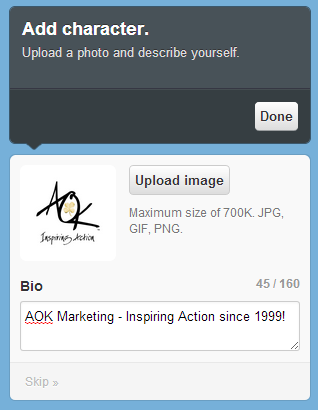
And click ‘Done’. You will have to confirm your email address to access all of Twitter’s features, but that’s it!

Consider a Professional Account
After completing the profile, the company can convert it to a Professional Account. X describes this option as a way for businesses, brands, creators, and publishers to create a professional presence and access additional tools.
Choose the category that best describes the company and select Business rather than Creator. A paid subscription is not required simply to convert, although separate Premium and advertising features may have costs.
Secure the Account
Enable two-factor authentication before several employees begin using the profile. This adds a second login step, such as a code or security key, so a password alone is not enough to access the account.
Keep recovery information current and store backup codes securely. Decide who owns the account, who can publish, and who will review replies and messages. Remove access when an employee, freelancer, or agency stops working on the account.
A compromised profile can publish false information, send harmful links, or damage customer trust, so security belongs in the original setup.
Publish Useful Posts Before Inviting Followers
Do not promote an empty account. Add several posts first so visitors can understand what the company offers.
Begin with a company introduction, an answer to a common customer question, a helpful website resource, a product or service explanation, a customer result, and a behind-the-scenes post. This gives the profile substance without turning it into a stream of advertisements.
A strong social media management process includes planning, publishing, monitoring, and responding. Scheduling saves time, but someone still needs to answer questions and join relevant conversations.
Keep the tone direct and conversational. When sharing a link, explain what the reader will learn instead of posting it without context.
Build a Sustainable Content Routine
Many business accounts become inactive because the original schedule was unrealistic. Choose a pace the team can maintain. Three useful posts each week can produce more value than several rushed updates followed by a month of silence.
Mix educational posts, company news, customer questions, videos, website resources, and occasional promotions. When an organic post performs well, the company can extend its reach through paid social media. A balanced organic and paid social strategy works better than promoting an incomplete profile.
Avoid the Mistakes That Reduce Trust
Vague bios, inconsistent branding, and empty timelines make visitors question whether an account is active or official. Complete the profile before adding its link to the website, email signature, or printed materials.
Posting only sales messages gives people little reason to follow. Share useful explanations, customer answers, company knowledge, and relevant observations alongside promotional content.
Buying followers creates inflated numbers but rarely produces customers or meaningful conversations. A smaller audience made up of real prospects, partners, and industry contacts has more value.
Automation can also make an account feel neglected when every post is scheduled and no one responds. Use tools to maintain consistency, not to remove the human side of social media.
Measure Business Results, Not Just Followers
Follower count is only one signal. Review profile visits, replies, reposts, link clicks, website sessions, enquiries, and sales connected to the platform.
The right measure depends on the account’s purpose. A customer-service profile should track response quality and recurring questions. A lead-generation profile should monitor form submissions and qualified enquiries. A brand-awareness profile should focus on relevant reach, mentions, and engagement.
Use those results to improve future posts. When one customer question produces strong engagement or website traffic, create more content around that subject. When posts receive views but no action, improve the message, destination page, or call to action.
Make the Account Worth Following
A Twitter business account on X can support visibility, customer communication, website traffic, and professional relationships. It becomes useful when the profile is complete, access is secure, and the content answers real customer needs.
Keep the original screenshots as historical examples, but label them clearly so readers understand that the interface has changed. Updated content around those images will make the page useful without losing its original visual material.
AOK Marketing can connect your X presence with content, SEO, paid campaigns, and lead generation. Request a free growth proposal to create a social strategy based on clear business goals.
Frequently Asked Questions
Is a Twitter business account free?
A standard X account is free to create. Eligible profiles can also convert to a Professional Account without purchasing Premium.
Should a Business Use a Separate Account?
Yes. A separate account provides clearer branding, company-controlled access, and a more professional experience than an employee’s personal profile.
What Should the Business Bio Include?
State what the company offers, who it serves, and the value it provides. Add the website in the dedicated field rather than filling the bio with a long URL.
Should the Old Twitter Screenshots Be Removed?
No. Keep them as historical visuals and add captions explaining that the current X interface looks different.
About The Author